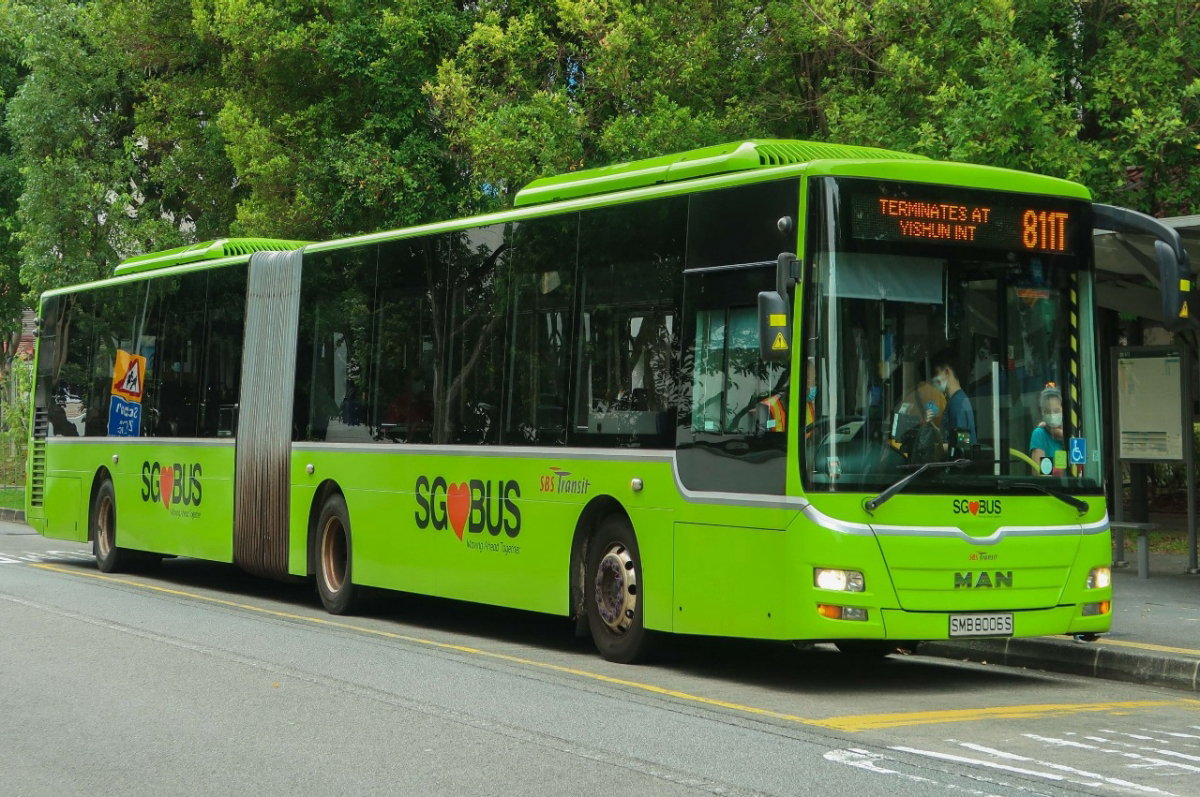
Why Your Bus Says 3 Minutes and Then 5: How Arrival Predictions Really Work
Live bus arrival times are predictions, not promises. Here is where the numbers come from, why they jump backwards, what the bus load indicator means, and how to read them like someone who knows what they are looking at.
You are at the stop. The app says your bus is 3 minutes away. You look up thirty seconds later and it says 5 minutes. Nothing has arrived, nothing has left, and the number has gone the wrong way.
This is the most common complaint about every bus arrival app in Singapore, including ours. It is not a bug, and understanding why it happens will make you substantially better at using these numbers.
Where the number comes from
Every public bus in Singapore carries equipment that reports its position back to a central system. The Land Transport Authority aggregates those positions and publishes them through a public data feed called DataMall. Every arrival app you have used — including SmartCommute — is reading from that same feed.
This matters more than it sounds. It means no bus app has better data than any other. If three apps show three slightly different numbers for the same bus, that is a difference in how recently each one refreshed, not a difference in data quality. Nobody has a secret source. Anyone claiming more accurate times than a competitor is describing a refresh interval, not an information advantage.
What the feed provides, for each bus approaching a stop, is an estimated arrival time, the bus's current coordinates, whether it is a single or double decker, how full it is, and whether it is wheelchair accessible.
Why the number goes backwards
The estimate is produced by taking the bus's current position and modelling how long it will take to cover the remaining road, given typical traffic conditions and the stops it still has to serve. It is a forecast, continuously recomputed.
So the number moves backwards whenever reality gets worse than the previous forecast assumed:
- The bus hit a traffic light cycle. A single missed light on a major road adds a minute or more.
- Someone took a long time to board. A wheelchair ramp deployment, a passenger fumbling for a card, or a big crowd at an interchange all add dwell time that was not forecast.
- Traffic thickened between updates. The model assumed a clear run and got a queue.
- The bus is bunched. More on this below.
A forecast that never revised itself upward would just be a worse forecast. The jumpiness is the system being honest.
Bus bunching, the thing that ruins your evening
You wait 20 minutes for a service that runs every 8, and then three of them arrive together. This is bus bunching, and it is a structural property of frequent bus routes rather than a scheduling failure.
The mechanism is a feedback loop. A bus falls slightly behind. Because it is late, more passengers have accumulated at the next stop, so boarding takes longer, so it falls further behind. Meanwhile the bus behind it finds fewer waiting passengers — the late bus in front has not collected them yet, but the gap behind has shrunk — so it moves faster and catches up. The gap in front grows, the gap behind collapses, and you get a convoy.
Operators counter this by holding buses at timing points and occasionally short-turning a service, but on a busy route in heavy traffic it is very difficult to eliminate entirely.
What this means for you: when the app shows two buses of the same service arriving within a couple of minutes of each other, let the first one go if it looks packed. The second will be nearly empty and you will get a seat. This is one of the highest-value things a live arrival display tells you, and most people ignore it.
Reading the load indicator
The feed reports how full each approaching bus is, in three bands: seats available, standing available, and limited standing. SmartCommute and most other apps surface this.
It is genuinely useful and underused. If you are travelling more than a few stops, with luggage, with a child, or you simply want to sit down, the load indicator tells you whether to take the bus in 2 minutes or the one in 9. During peak hours on a busy corridor, waiting seven minutes for a bus with seats is often a better journey than standing for twenty.
The reading is inferred rather than counted precisely, so treat it as a band, not a passenger count.
When there is no data at all
Sometimes a service you know exists shows nothing. There are several distinct reasons, and they mean different things:
- The service has finished for the day. Check the first and last bus timings — every SmartCommute route page lists them for weekdays, Saturdays and Sundays, and they differ.
- No bus has started its run yet. Early in the morning, the first bus may not have left the interchange, so there is nothing to track. The service is running; it just has not started.
- The bus's equipment has dropped out. Occasionally a vehicle stops reporting. The bus is on the road and will arrive; the system simply cannot see it.
- A diversion is in effect. During roadworks or events, buses may skip your stop entirely. Check service alerts.
The distinction that matters most: "no arrival data" does not mean "no bus is coming." Before giving up and booking a ride, check the last bus timing. If the service is still operating, a bus is almost certainly on its way.
The "Arr" and the one-minute problem
When an estimate drops below about a minute, apps typically display "Arr" or "Arriving" rather than a number. This means the bus is close enough that a numeric countdown would be misleading.
Be a little careful here. "Arriving" means the bus is approaching the stop, not that it is stationary at the kerb with the doors open. If you are 200 metres away, seeing "Arr" is not a reason to relax — it is a reason to run. Conversely, if you are already at the stop, "Arr" reliably means you have not missed it.
Using the numbers well
A few habits that separate people who find these apps useful from people who find them frustrating:
- Leave on the number, not on the schedule. The whole value of live data is that you can stay indoors until the bus is genuinely close. Work out your walking time to the stop once, and leave when the estimate matches it.
- Add a buffer for anything that matters. For a flight, an interview or an exam, do not plan against a live estimate. Plan against the timetable and treat the live number as a bonus.
- Check the second and third arrivals, not just the first. They tell you your fallback if you miss this one, and they reveal bunching.
- Refresh before you commit. An estimate you loaded five minutes ago is stale. SmartCommute has a refresh control on the arrivals view for exactly this.
- Believe the estimate less at the start of a route. A bus that has not yet left its interchange has a much less certain arrival time than one that is three stops away.
What accuracy to actually expect
For a bus that is within a few stops, on a normal road, in normal traffic, the estimate is usually accurate to within a minute or two. That is genuinely good, and it is enough to time your walk to the stop.
Accuracy degrades with distance and with congestion. A bus fifteen minutes away during evening peak on a major arterial is a much softer number than a bus four minutes away on a quiet residential road at 10am. Weigh it accordingly.
The honest summary: live arrival data is excellent for deciding when to leave the house and poor for guaranteeing when you will arrive. Use it for the first purpose and you will never be disappointed by it.
Check live arrivals at your nearest stop — including load and bus type for every approaching service.